CheatHUD
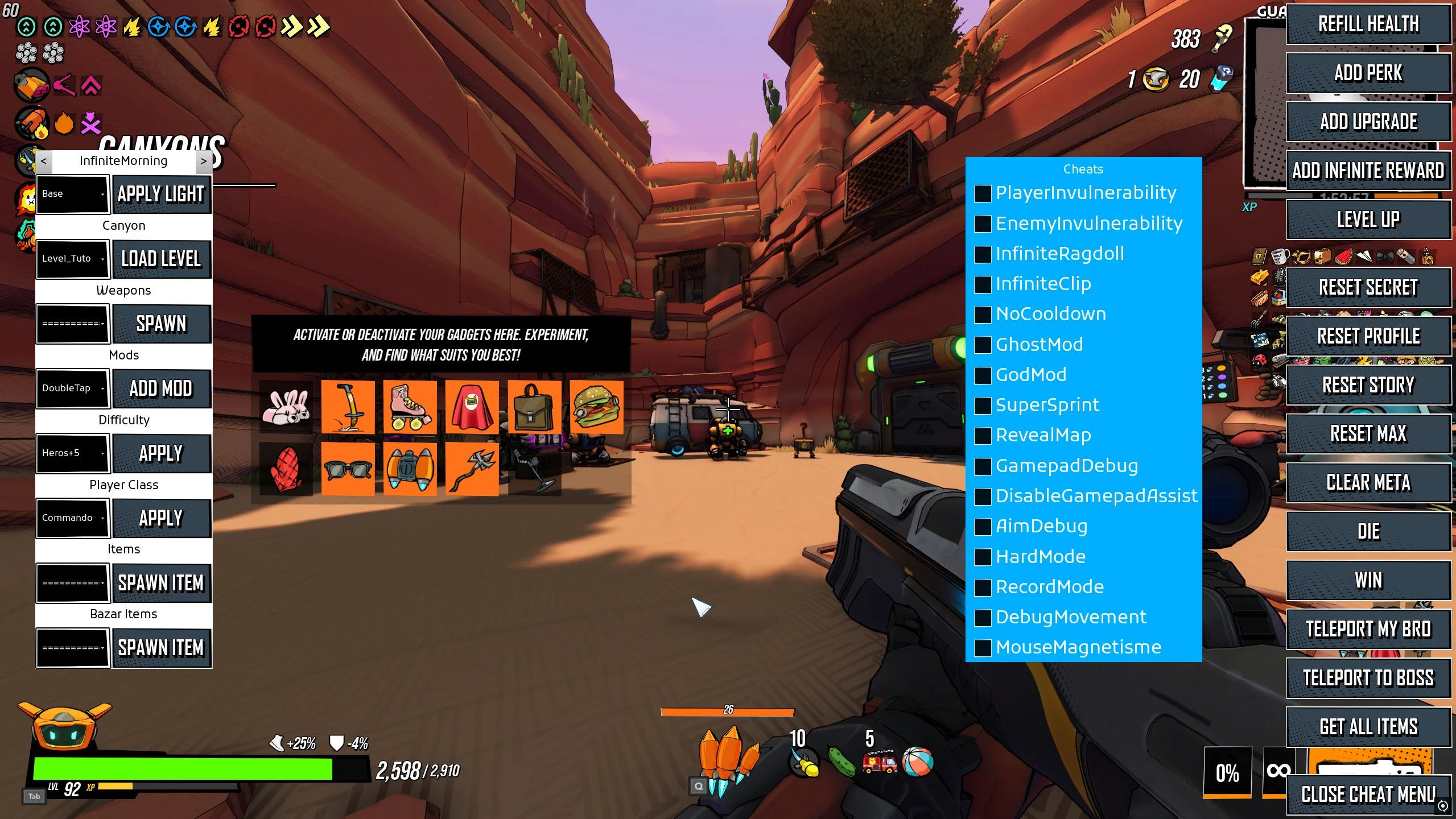
Unlocks RoboQuest’s existing developer HUD and cheat-code gate. This functionality is built into RoboQuest, the mod only exposes it for the retail build.
Cheats can change your save
Some controls change run or progression state immediately. Use CheatHUD in solo play and back up your save first.
Install or remove
Before using CheatHUD, close RoboQuest and copy the entire%LOCALAPPDATA%\RoboQuest\Saved\SaveGamesfolder somewhere safe. It contains your profile, settings and Steam Cloud save data.
- Fully close RoboQuest. In Steam, right-click the game and choose Manage → Browse local files.
- From the game’s installation folder, go to:
RoboQuest\Content\Paks\ModsCreate theModsfolder if it is missing. - Extract the download and copy the
.pak,.ucasand.utocfiles into that folder as a matching set.
The README.md can remain there or be kept elsewhere for reference. To remove the mod, close the game and delete only its matching.pak,.ucas and.utoc files.
Other UI unlocked
- Perk upgrade screen: keeps the stock FREE REROLL button available, letting you refresh the offered perks without spending a reroll token.
- Basecamp upgrade board: reveals the developer buttons Clear wrench, Add wrench, Add 100 wrench, Reset and Unlock all.
- Basecamp story compendium: reveals Fill Compendium, which adds every story capsule to the compendium, and Refresh compendium, which rebuilds the visible Story list from the current progression data.
Enabled keybinds
- Alt + KBNumpad /
- Open or close the Cheat HUD.
- Numpad 1–6
- Spawn a weapon at the matching power level.
- Alt + Numpad 1–6
- Spawn a random upgrade at the matching level.
- À / A_AccentGrave
- Spawn a level-1 upgrade. This is a layout-specific stock binding.
- Numpad 9
- Start or stop an Unreal profiling capture.
- U
- Kill the current enemies.
- Numpad .
- Reroll the affixes on the weapon you are looking at, or your equipped weapon.
- Numpad 0
- Raise the level of the weapon you are looking at, or your equipped weapon, by one.
- Alt + Numpad .
- Upgrade the affix quality on the weapon you are looking at, or your equipped weapon.
- Y
- Toggle global game speed between 0.2× and normal speed.
- H
- Add one ticket.
- Alt + J
- Remove one ticket when you have at least one.
- O
- Toggle the centred crosshair.
- L:
- Cycle the stock debug camera through third-person, reverse third-person and first-person views.
- Numpad +
- Switch the developer light scenario on when you are the host.
- Numpad −
- Switch the developer light scenario off when you are the host.
- Enter
- Rotate the developer light selector when you are the host.