CheatHUD — 0.12.1-837
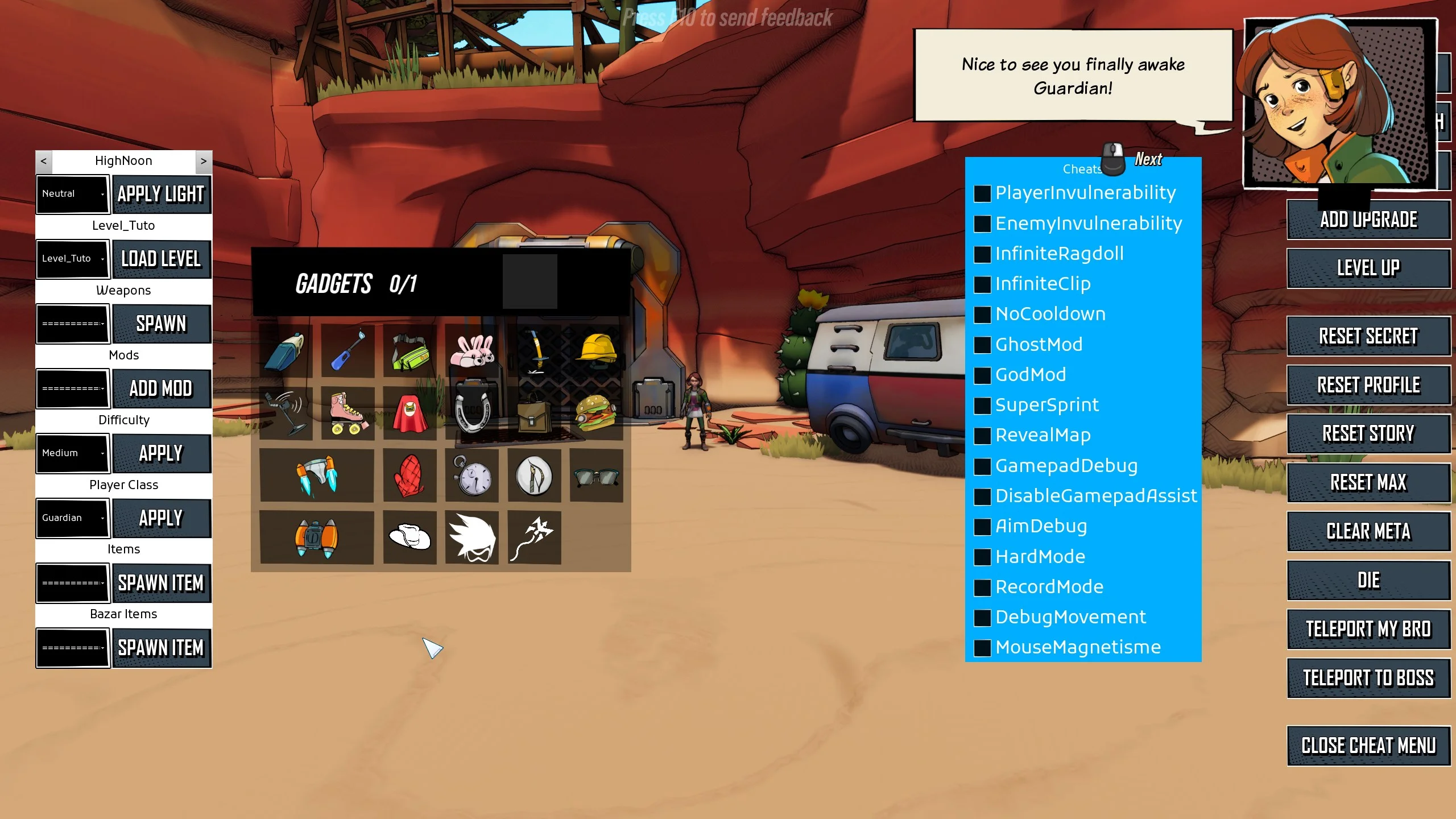
Unlocks the existing developer HUD in RoboQuest.
Cheats can change your save
Some controls change run or progression state immediately. Use CheatHUD in solo play and back up your save first.
Install or remove
Before using CheatHUD, close RoboQuest and copy the entire%LOCALAPPDATA%\RoboQuest\Saved\SaveGamesfolder somewhere safe. It contains your profile, settings and Steam Cloud save data.
- Fully close RoboQuest and open the older build’s installation folder, not your current Steam installation.
- From the game’s installation folder, go to:
RoboQuest\Content\Paks\ModsCreate theModsfolder if it is missing. - Extract the download and copy the
.pak,.ucasand.utocfiles into that folder as a matching set.
The README.md can remain there or be kept elsewhere for reference. To remove the mod, close the game and delete only its matching.pak,.ucas and.utoc files.
Other UI unlocked
The stock menu includes weapon and item spawning, level and class selection, gameplay toggles, and profile or story reset controls. Other developer shortcuts can also be enabled by the cheat gate. No keys are rebound; controls and effects may differ from the final release.
Enabled keybinds
- BNumpad /
- Open or close the Cheat HUD using the original bindings.